 EN
EN

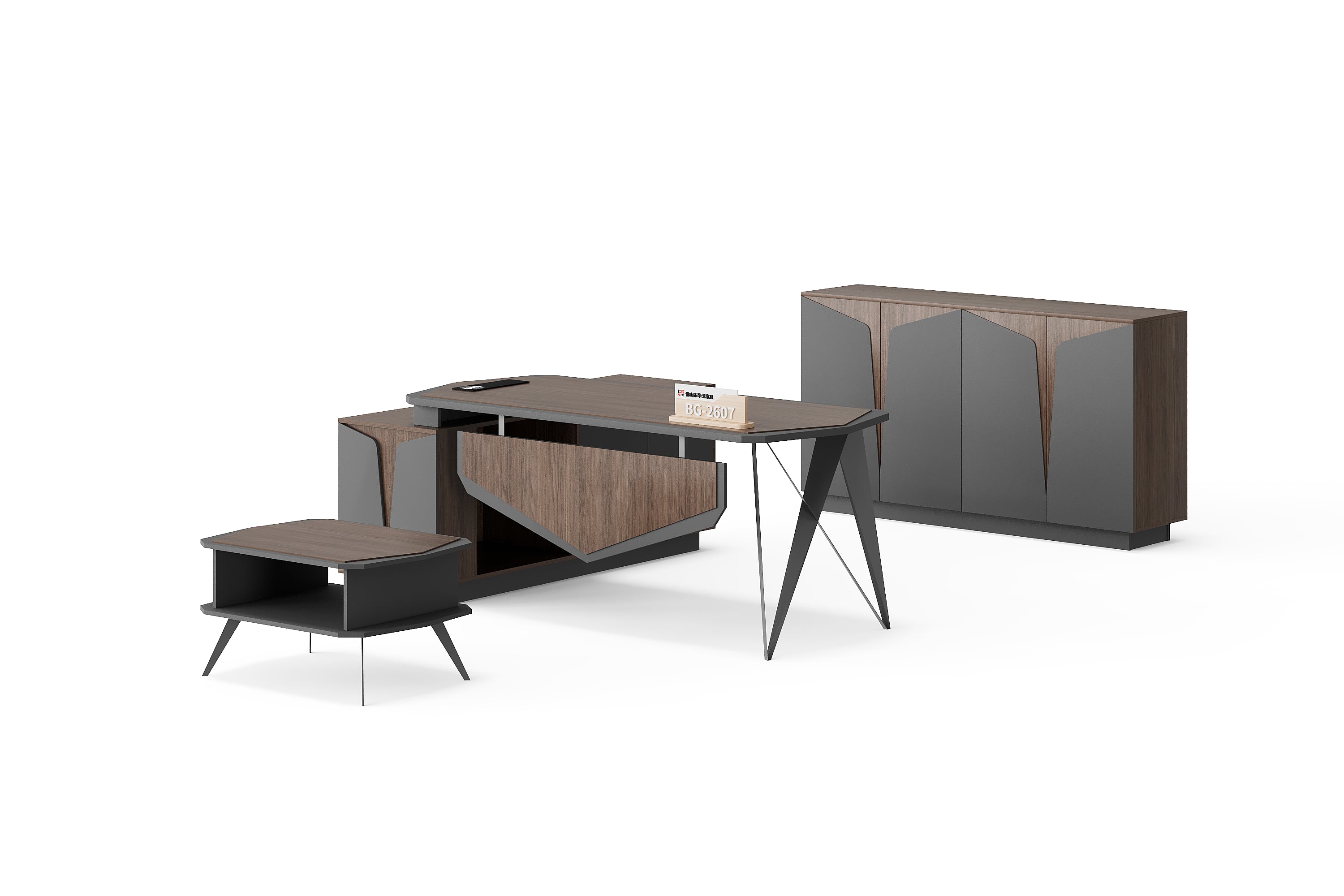
“Wood finish with grey panels” communicates an appearance, but leaves important details open. Which surface is wood-toned? Which grey reference applies? Does the quotation identify the same option that the buyer reviewed? A finish confirmation record connects those decisions to the selected furniture and quotation.
Prepare that record before treating two quotations as equivalent. This guide describes information to request and compare; it does not confirm that a particular finish, sample service or material is available for every BG model.
1. Start with an identifiable reference
Choose a product reference from the BG executive office category, then save its model, page address and original image. Mark the parts whose appearance you want to discuss, such as the desktop, front panel or side-storage front. Keep your annotations separate from the original image.
Use descriptive words to explain your preference, then ask the supplier for its corresponding finish reference. Do not assume that a filename suffix or a colour name is a universal specification. If no code has been confirmed, label the preference provisional rather than inventing one for the quotation.
2. Map each finish to a specific part
A desk image may show several contrasting surfaces. Request a written description that links each proposed finish to the relevant part. If the desktop and front panel should differ, give them separate lines in the record.
Keep appearance and construction information distinct. Ask what material and surface specification the supplier proposes where that matters to your purchase. A wood-grain appearance does not establish solid-wood construction. Likewise, colour approval alone does not confirm thickness, edge details or a tested performance claim.
| Record field | What to confirm |
|---|---|
| Furniture reference | Model, selected configuration and quotation item. |
| Part or surface | The specific top, panel, edge or storage front concerned. |
| Finish identity | Supplier reference and written appearance or surface description. |
| Review reference | Sample or other agreed reference, its label and review date. |
| Decision | Accepted, provisional or revise; reviewer and quotation revision. |
3. Agree what will be reviewed
Ask whether a relevant physical sample is available and what it represents. Clarify whether it shows the proposed surface only or also includes an edge or another construction detail. Record any sample cost, delivery arrangements or return requirement only when the supplier confirms them.
If a sample is provided, keep its label with the review record. Agree how the buyer will review appearance and who can accept it. Photographs can document that review, but an unlabelled image should not replace the agreed reference. If review must remain remote, state what evidence was accepted and what still needs confirmation.
Record any point needing clarification against the specific surface and finish-sample reference. Describe what you observed, attach a dated photograph where useful, and identify the agreed reference being used for comparison. Keep the supplier's clarification and the resulting review decision together; unresolved points remain provisional.
4. Carry the reference into the quotation
Ask the supplier to repeat the agreed finish reference against the correct furniture item and part. Check it against the quotation revision, specification and any marked drawing. A reference in an email is easy to overlook if the quotation still contains a broad description.
For example, a buyer might approve one reference for a desktop and leave the front panel provisional. Record those two decisions separately instead of marking the entire desk “approved”. This is an illustrative review situation, not a statement about a specific product's available finishes.
The custom executive furniture brief covers the wider design request. Keep the finish record beside that brief so a requested appearance stays connected to the proposed configuration.
5. Resolve substitutions before making the comparison
If a supplier proposes an alternative, ask it to identify the changed reference and the affected parts. Request the information needed to review that option. Keep the previous decision visible and record whether the alternative is accepted or still provisional.
Compare quotations only after checking these differences. Where the references remain unresolved, note that the appearance or surface specification is not yet comparable. Keep the final record with the selected quotation so later questions can be traced to an agreed item and revision.
Buyer questions
Is a colour name enough to confirm a finish?
Use it as a starting description. Request the supplier's reference and identify the parts it applies to, together with the sample or other evidence accepted for that selection.
Does the same finish code guarantee a match between suppliers?
Do not assume that codes are shared between suppliers. Ask each supplier to identify its own reference and provide the information needed for your review before treating two options as equivalent.
What if a physical sample is unavailable?
Ask what reference can be provided and document the basis of the decision. Keep unresolved appearance or surface details visible rather than recording a sample approval that did not happen.
Does finish approval confirm the complete product specification?
No. Keep dimensions, construction, supplied items and any required performance evidence in the product specification. Link the finish decision to that document without treating it as approval of every detail.
Send a finish confirmation request
Contact BG Office Furniture with the selected product image, marked surfaces and proposed finish record. Ask which references are available and request that the agreed selection appears in the quotation for your configuration.