 EN
EN

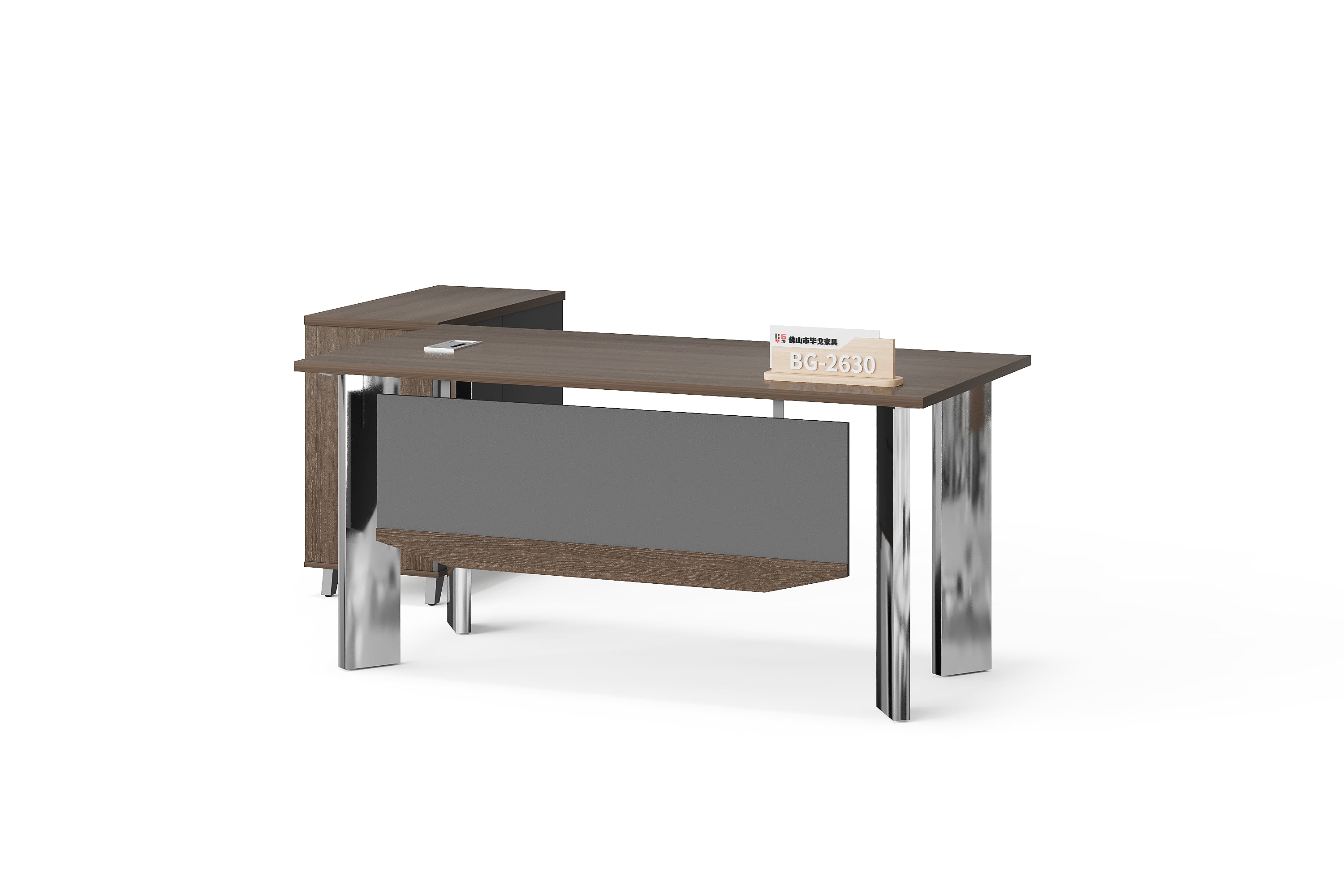
An importer may want one desk model in several colour selections. The enquiry still needs a stable model reference, but a single total quantity is not enough to explain the assortment. A useful record connects each requested selection to that model and shows how the selection quantities make up the total.
This guide is a practical record for dealer and importer enquiries. It does not confirm available colours, a minimum quantity per colour or an approved BG assortment. Keep requested selections provisional until the supplier has confirmed their references and the configuration being quoted.
1. Start with one supplier model reference
Record the supplier’s complete model reference and product-page address before adding colour details. For example, the BG-2630 executive desk provides an identifiable catalogue starting point. Its photograph shows one configuration; it is not evidence that every colour combination you request is available.
Do not create a new supplier model name by adding an invented colour suffix. Your own stock system may use separate internal codes for colour selections. Keep those codes in a different field and map each one back to the supplier model and confirmed selection. That preserves both records without confusing their purposes.
2. Give each selection a clear line reference
Use a buyer line reference, such as A or B, for each requested selection under the same model. Treat that label as a reference within the enquiry, not as a supplier colour code. Include the relevant configuration and identify any surfaces that differ between selections.
Attach the agreed finish reference when it is available. If it is not yet confirmed, write the preference as a question. The finish confirmation checklist explains how to map an appearance reference to specific surfaces. Here, the task is to connect that selection to the correct quantity and quotation line.
3. Complete a selection record
Repeat this short record for each selection. Keep the common supplier model above the records so it remains clear which lines belong together. A line should not silently inherit a finish, configuration or quantity from the line before it.
| Record field | Entry to prepare |
|---|---|
| Supplier model | [Complete model and its product-page address] |
| Buyer line reference | [Selection A, B or another distinct enquiry reference] |
| Selection details | [Requested configuration and finish references by surface] |
| Quantity and unit | [Number requested and the defined purchase unit] |
| Status | [Included selection, alternative or awaiting confirmation] |
| Quotation mapping | [Supplier’s corresponding line and outstanding question] |
Keep a reference image beside the record, with its source and any annotations identified. A filename, screen colour or buyer line label should not be treated as a confirmed finish specification. Request clarification wherever the image and written selection differ.
4. Reconcile quantities without counting alternatives twice
For illustration only, imagine ten units of one model: four under Selection A and six under Selection B. The split is four plus six, giving ten units. These numbers demonstrate the record; they are not BG order quantities, stock information or a commercial offer.
If Selection C is an alternative to B, do not add it to the requested total. Mark which line it would replace and whether the decision is still open. If the split has not been decided, record ten units with allocation pending instead of inventing a colour distribution.
Use the same purchase unit across the lines being totalled. The desks, seats and sets guide covers that distinction. Keep separately requested storage or other components visible rather than assuming they belong to each desk unit.
5. Check the supplier’s returned line mapping
Ask the supplier to identify which quotation line answers each buyer selection. Compare the model, configuration, finish reference, quantity and unit. A matching overall total can conceal an incorrect split, so check the individual lines as well.
If the supplier proposes a different reference or arrangement, record that proposal against the affected line and ask whether the model identity changes. Do not treat a structural or configuration difference as merely another colour. Leave unresolved selections provisional until the response is clear enough to compare.
Buyer questions
Does a different colour mean a different supplier model?
Do not decide from appearance alone. Retain the supplier’s model reference and record the colour selection separately. Ask for clarification if the configuration or another product characteristic also changes.
Can we keep separate colour codes in our own stock system?
Yes. Label them as your internal references and maintain their mapping to the supplier model and confirmed selection. An internal code should not be presented as a supplier-issued specification.
What if a requested colour is unavailable?
Ask for a clearly identified alternative and its affected surfaces. Keep its quantity outside the accepted selection total until you decide whether it replaces an existing line.
Does one model total mean the commercial terms are identical for every selection?
No assumption should be made. Request an itemised response for the actual split, including any differences requiring a decision. Record only terms that have been confirmed for that enquiry.
Send a model and selection schedule
Contact BG Office Furniture with your supplier model references, selection records and quantities. State whether each line is included, alternative or undecided, and ask for a quotation that maps back to those same references.