 EN
EN

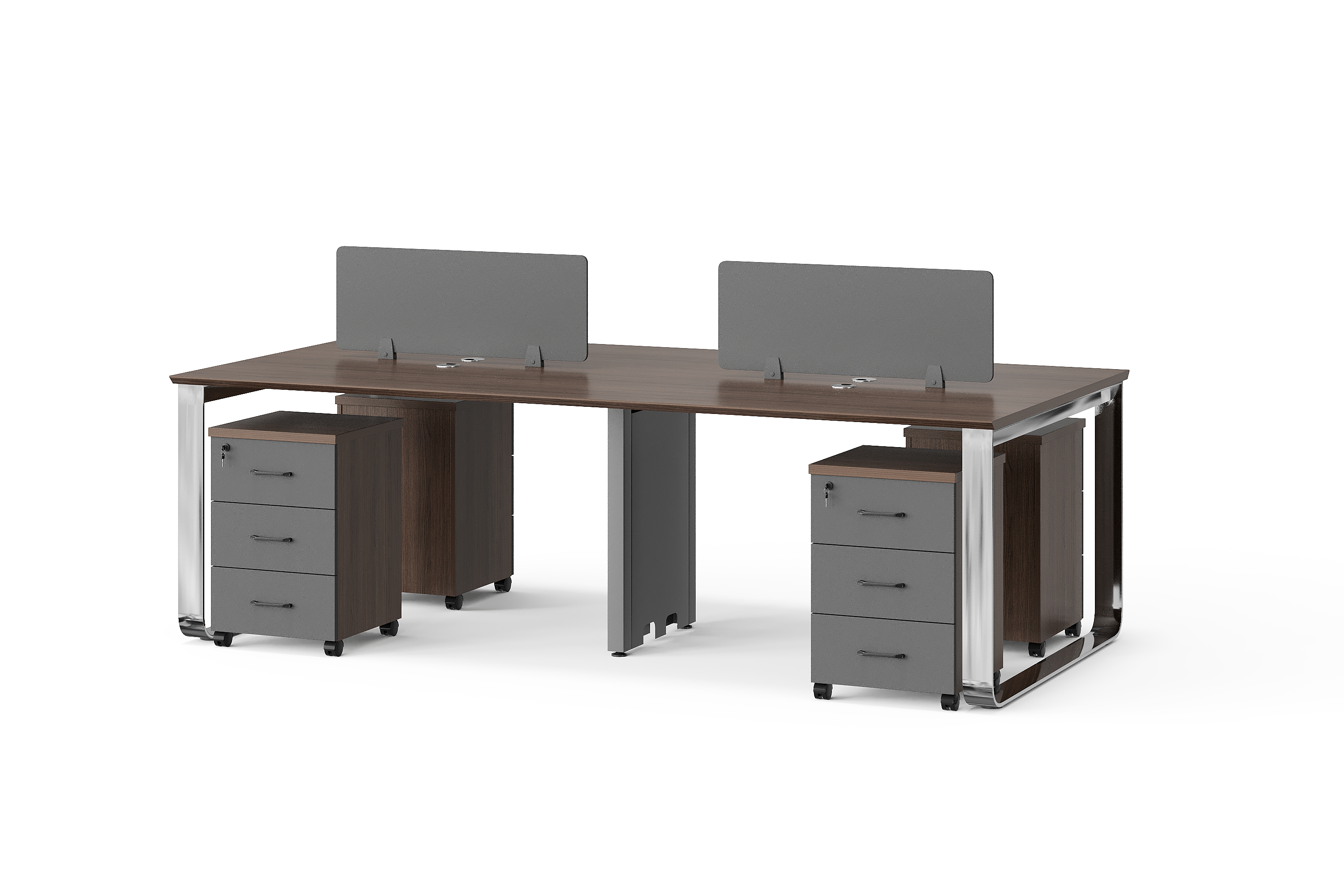
A request for “24 seats” can mean 24 working positions, 24 individual desks or six shared groups with four positions each. It does not, by itself, identify the furniture to be ordered. Before comparing quotations, give each line a clear unit and describe what one unit contains.
This guide shows a practical way to count panel-style office furniture. The quantities below are invented planning examples, not specifications or offers for a BG model. Here, a working position means a planned place for one person to work; it does not mean that a chair is included. BG’s scope for this guide covers desks, workstations, tables and storage, not chairs or sofas.
1. Keep people, positions and purchase units separate
Start with the number of people expected to use the office, then record the working positions required in the proposed layout. These are two different planning inputs. For example, a team of 30 people may request 24 shared working positions; the buyer must confirm that requirement rather than asking the supplier to infer it from headcount.
Next, define the unit used for purchasing each item. An individual desk can be one purchase unit. A shared workstation group can also be one purchase unit, provided its configuration is written down. A set needs an item list: the word alone does not establish whether storage, screens or adjoining tables are included.
| Term in your brief | What to record |
|---|---|
| Working positions | The planned number of individual places to work. |
| Individual desks | The number of separately identified desk units. |
| Groups or sets | The quantity and exact contents of each defined group. |
| Components | Separately counted storage, screens or other requested items. |
Browse the BG workstation category to identify an arrangement to discuss. Use an annotated image or drawing to show your intended positions, then ask for the model and configuration to be confirmed.
2. Build a quantity schedule without mixing units
Imagine a project requesting 24 shared working positions, two separate manager desks, storage and one meeting table. The example below assumes four positions per shared group solely to demonstrate the arithmetic. It does not establish an available configuration, suitable room capacity or the contents of any product photograph.
| Reference and item | Qty / unit | Counting note |
|---|---|---|
| W01 — Shared workstation | 6 groups | 4 planned positions per group: 24 in total. |
| S01 — Pedestal storage | 24 cabinets | Requested separately; check whether W01 already includes them. |
| M01 — Manager desk | 2 desks | 2 additional working positions. |
| M02 — Side storage | 2 cabinets | Keep separate until the desk configuration is confirmed. |
| T01 — Meeting table | 1 table | Participant capacity is a separate requirement to confirm. |
The planned desk positions are 24 + 2 = 26. Do not add the quantities in the middle column into a single “total pieces” figure: that would mix groups, desks, cabinets and a table. Keep totals by unit, alongside the position count.
For meeting tables, record the number of tables to purchase separately from the number of intended participants. A participant count alone does not confirm the table size, room fit or seating supplied.
3. Check included components before adding them again
Ask the supplier to return an inclusion list for each group or set. For W01, that means identifying the desk arrangement and any screens, storage or other components included in the quoted unit. Do not decide inclusions by counting objects in a scene image.
If the quotation for six W01 groups already includes the 24 requested pedestals, keep S01 in the schedule but mark it “included under W01; no additional quantity.” If storage is excluded, retain S01 as a separate quoted line. This keeps the requirement visible without ordering it twice.
Record the arrangement reference as well as the quantity. Two groups with the same number of positions may have different layouts or component lists. Ask which drawing revision the supplier has quoted.
4. Compare quotations using the same unit
Put the quoted unit beside every quantity and unit rate. A rate per working position cannot be compared directly with a rate per complete group. First confirm that both quotations cover the same arrangement and inclusions, then compare the total for that agreed scope.
For the hypothetical four-position group, six groups and 24 positions describe the same planned capacity. They are not interchangeable order quantities unless the quotation defines that conversion. If two offers include different storage or screens, show the differences before comparing totals.
Keep package counts separate, too. Cartons, panels and assembled furniture units are different records. Ask for the packing list for the confirmed configuration; do not convert a carton count into a desk quantity.
5. Keep one revised count for the project
Give the schedule a date and revision reference. When a group changes, update its position count, components and quantity together, and identify which earlier version it replaces. Request confirmation against that version before approving the order.
Use the office furniture RFQ checklist for the wider enquiry. This quantity schedule can be attached to it so that the floor plan, item list and quotation use the same references.
Buyer questions
Does “seat” mean that a chair is included?
Not in this schedule. Use “working position” for the planning count and identify the furniture items separately. Chairs and sofas are outside BG’s product scope here; their appearance in a reference scene does not add them to a quotation.
Can groups with different position counts appear in one schedule?
Yes, as separately defined lines. For example, three hypothetical four-position groups and two hypothetical six-position groups total 24 positions. Those numbers explain the calculation only. Ask the supplier to confirm whether the proposed arrangements are available and suitable for the measured layout.
What if a required count does not divide into complete groups?
Show the required positions and leave the group arrangement open for confirmation. For example, 27 positions divided by four is 6.75; that calculation does not create an orderable fractional group. Ask about suitable arrangements and record any extra or unused positions explicitly.
Should storage shown beside a desk be counted as part of the set?
Only when the itemised quotation says it is included. Identify the storage you need, then mark it as included, separately quoted or not required. Keep that decision against the same desk or group reference.
Send a schedule that can be checked
Your enquiry can say: “Please quote the attached schedule by the units shown. Confirm the contents of each group, identify included storage and screens, and list exclusions separately. Please flag any difference between our position count and your proposed configuration.”
Contact BG Office Furniture with your schedule and room information. Request confirmation of the selected models, dimensions, materials, configuration and commercial terms before treating the proposal as an agreed order.